Free AI Background Remover
Remove image backgrounds instantly with advanced AI technology. Perfect for products, portraits, and more.


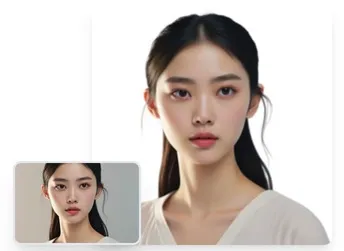
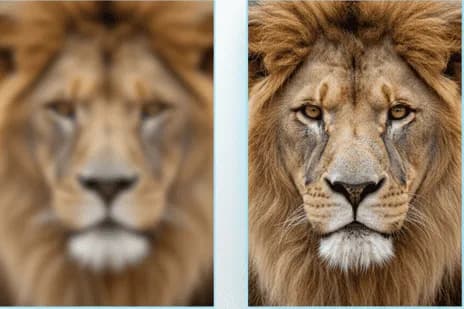
Drag the slider to compare • Automatic AI background removal
Core Features
Powerful AI Tools for Every Need
Professional image processing at your fingertips. No design skills required.
AI Background Removal
Remove backgrounds from images in seconds with advanced AI technology. Perfect for product photos, portraits, and professional images.
Watermark Remover
Remove watermarks from images intelligently. Clean up images with our AI-powered watermark removal technology.
Object Remover
Remove unwanted objects from images seamlessly. AI fills in the background naturally while maintaining quality.
Text Removal
Remove unwanted text from images seamlessly. Our AI fills in the gaps naturally, maintaining image quality.
Why Choose Us
Technology That Sets Us Apart
Powered by cutting-edge AI, designed for professionals and beginners alike
AI-Powered Precision
Advanced machine learning algorithms ensure accurate edge detection and natural results, even with complex details like hair and fur.
Lightning Fast
Process images in under 5 seconds. No more waiting hours for manual editing or slow online tools.
HD Quality Output
Maintain original image resolution and quality. Download results in high-definition PNG format with transparency.
Privacy Protected
Your images are processed securely and automatically deleted after processing. We never store or share your data.
No Installation Needed
Work directly in your browser. No software downloads, no plugins required. Access from any device, anywhere.
100% Free to Use
No hidden fees, no watermarks, no credit card required. Generous free tier for daily use.
How It Works
Remove Backgrounds in 3 Simple Steps
No design experience needed. Get professional results in seconds.
Upload Your Image
Drag and drop or click to upload your image. Supports JPG, PNG, and WEBP formats up to 10MB.
AI Processing
Our advanced AI automatically detects subjects and removes backgrounds with precision in seconds.
Download Result
Preview your image with a transparent background and download in high-quality PNG format.
Use Cases
Perfect For Every Project
From professional work to personal projects, our tools fit every need
E-commerce
Create professional product photos with clean backgrounds for your online store.
Design & Creative
Perfect for graphic designers creating compositions, posters, and digital art.
Social Media
Make your posts stand out with custom backgrounds and professional-looking images.
Marketing
Create eye-catching visuals for campaigns, ads, and promotional materials.
Personal Projects
Enhance your photos for invitations, cards, or personal creative projects.
Team & HR
Standardize employee photos and headshots with uniform backgrounds.
Testimonials
Loved by Thousands Worldwide
See what our users have to say about their experience
"This tool saved me hours of work! I can now process all my product images in minutes instead of hiring a designer. The quality is amazing!"
"As a professional designer, I was skeptical at first. But the AI precision is incredible - it handles complex edges better than many manual tools."
"Perfect for creating Instagram content! The speed and quality are unmatched. My engagement has increased since using professional-looking images."
"Game changer for my photography business. I can deliver edited photos to clients much faster now. The transparent backgrounds are flawless!"
"Our team uses this daily for marketing materials. It's fast, reliable, and the results are consistently professional. Highly recommend!"
"Best free tool I've found for background removal. No watermarks, no limitations - just pure quality. It's become essential to my workflow."
Frequently asked questions
- Can I use AI image tools on my mobile device?
Yes, all our AI image processing tools are fully compatible with mobile devices. You can easily remove backgrounds, watermarks, or text from your photos directly on your smartphone, creating professional results on the go.
- Is the AI background removal free to use?
Yes, you can remove backgrounds for free using our AI-powered tool. It's perfect for anyone who needs quick, high-quality results without any hidden fees or subscriptions. Simply upload your image and download the transparent background version instantly.
- How does the AI ensure image quality?
Our AI tools use advanced algorithms and optimization techniques during both the upload and processing stages to ensure your image's clarity, edges, and fine details are perfectly preserved. The AI intelligently detects subjects and handles complex scenarios like hair, fur, and transparent objects.
- What image formats are supported?
Our tools currently support JPG, PNG, WEBP, and other common image formats. You can upload images in any of these formats and download processed results in your preferred format, including transparent PNG files.
- Can I process multiple images at once?
Yes, our platform supports batch processing. You can upload and process multiple images simultaneously, saving you time when working with large numbers of photos. This is especially useful for e-commerce product photos or portfolio work.
- How do I remove a watermark from an image?
Simply upload your image to our Watermark Remover tool, and our AI will automatically detect and remove watermarks while preserving the original image quality. The AI fills in the gaps naturally, making the removal seamless and undetectable.
- Can I crop and compress images without losing quality?
Absolutely! Our Image Cropper lets you select custom crop areas with various aspect ratio presets and real-time preview. The Image Compressor allows you to adjust quality settings and format, showing you the exact file size reduction before downloading. Both tools work entirely in your browser for privacy and speed.
- What is the best tool for removing text from images?
Our AI Text Remover uses advanced algorithms to intelligently detect and remove unwanted text from images. The AI automatically fills in the removed areas with matching background patterns, maintaining the natural look of your photo. It's perfect for cleaning up screenshots, removing captions, or eliminating date stamps from photos.
- How fast is the AI image processing?
Processing speed varies by tool and image size, but most operations complete within seconds. Background removal typically takes 3-5 seconds, watermark removal 5-10 seconds, and text removal 8-15 seconds. Client-side tools like crop and compress are instant since they run directly in your browser.
- Is my uploaded image data secure and private?
Yes, we take privacy seriously. Client-side tools (crop, compress) process images entirely in your browser without uploading to servers. For AI-powered tools, images are processed securely and are not stored permanently. All transfers use HTTPS encryption to protect your data.